Advanced Spreadsheets
Lesson 4 – Statistical, Mathematical, Date/Time and Text Functions
This lesson introduces statistical, mathematical, date/time, text and financial functions used for analysis, reporting and data preparation.
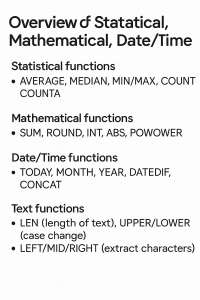
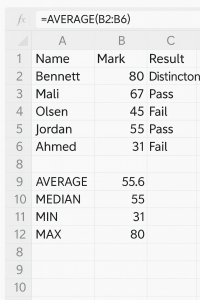
1. Statistical functions
2. Mathematical functions
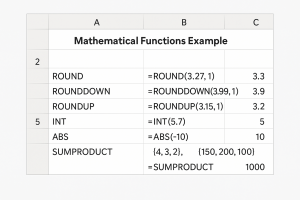
Mathematical functions allow you to control rounding, perform calculations and clean numeric data.
- ROUND, ROUNDDOWN, ROUNDUP – control decimal places.
- INT – round a number down to the nearest whole number.
- SUMPRODUCT – multiply corresponding items and sum the results (useful in weighted analysis).
- ABS – return the absolute (positive) value.
3. Date and time functions
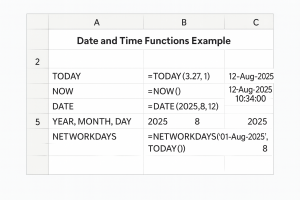
These functions allow you to work with dates for reporting, validation, and automation.
- TODAY() – returns the current date.
- NOW() – returns the current date and time.
- DATE(year, month, day) – builds a valid date.
- YEAR, MONTH, DAY – extract parts of a date.
- NETWORKDAYS – calculates working days between two dates.
4. Text functions
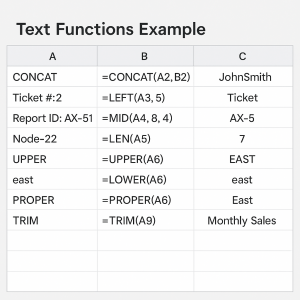
Text functions help clean, extract and format text data, especially when working with imported data or building IDs.
- CONCAT / CONCATENATE – join text from multiple cells.
- LEFT, RIGHT – extract characters from the start or end of a string.
- MID – extract characters from the middle of a string.
- LEN – count characters in a cell.
- UPPER, LOWER, PROPER – change text case.
- TRIM – remove extra spaces.
5. Financial functions
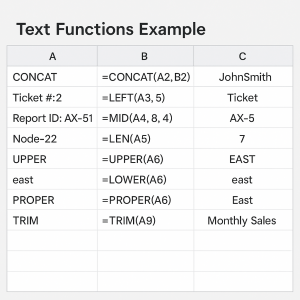
Financial functions support loan, investment and repayment calculations.
- PMT – calculate regular loan repayments.
- PV – present value.
- FV – future value.
- Document assumptions such as annual interest rate, periods and payment timing.
6. Combining different functions
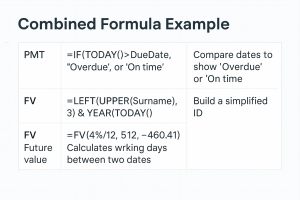
Spreadsheet models frequently require combining text, logical and date functions.
- Nesting different functions can automate decisions and generate meaningful output.
- Example: =IF(TODAY() > DueDate, “Overdue”, “On time”)
- Example: =LEFT(UPPER(Surname), 3) & YEAR(TODAY()) – generate a simple ID.
7. Practical Activity
Complete the following tasks to apply the lesson skills:
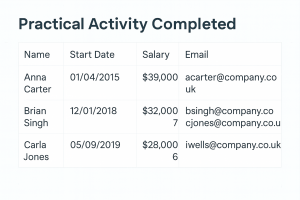
- Create a table of employees including: Name, Start Date, Salary.
- Use date functions to calculate length of service (for example: =YEAR(TODAY()) – YEAR(StartDate)).
- Use RANK or LARGE/SMALL to identify highest and lowest salaries.
- Use text functions to build email addresses (for example: =LOWER(LEFT(Firstname,1) & Surname & “@company.co.uk”)).